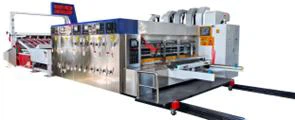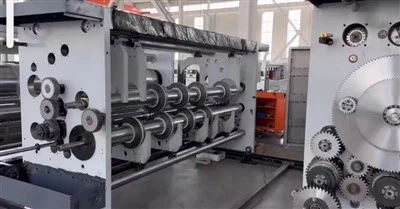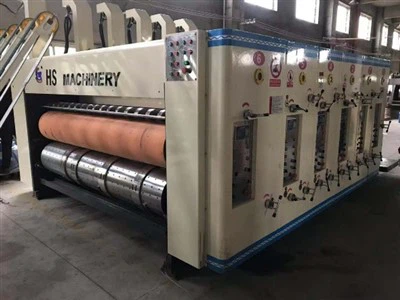


Model:1400x2800

Tech parameters
| Data/model | 900x2000 | 900x2400 | 1200x24000 | 1200x2800 | 1400x2400 | 1400x2800 | 1600x2800 | 1600x3200 | 1600x3600 |
| Max machine speed(pcs/min) | 300 | 300 | 250 | 220 | 220 | 200 | 200 | 180 | 120 |
| Max feeding size(mm) | 880x2000 | 880x2400 | 1180x2400 | 1180x2800 | 1380x2400 | 1380x2800 | 1570x2800 | 1570x3200 | 1570x3600 |
| Min feeding size(mm) | 280x660 | 280x660 | 320x680 | 320x680 | 360x680 | 360x680 | 420x710 | 420x710 | 420x710 |
| Skip feeding(mm) | 1100x2000 | 1100x2400 | 1500x2400 | 1500x2800 | 1700x2400 | 1700x2800 | 1900x2800 | 1900x3200 | 1900x3600 |
| Max printing area(mm) | 850x2000 | 850x2400 | 1150x2400 | 1150x2800 | 1350x2400 | 1350x2800 | 1540x2800 | 1540x3200 | 1540x3600 |
| Thickness of printing plate(mm) | 7.2 | 7.2 | 7.2 | 7.2 | 7.2 | 7.2 | 7.2 | 7.2 | 7.2 |
Printing Department Work Instructions
Requirements:
1. Keep the suction box table and impression roller clean, especially the impression roller itself, which must be free of ink, otherwise it will affect the printing effect and even the registration accuracy.
2. Check the tension of the suction box conveyor belt weekly and adjust it in time; lubricate all drive bearings in the suction box weekly.
3. Clean the doctor blade, ink fountain, ink return pipe, and other accessories weekly to prevent ink clumping and leakage.
4. Residual ink must be filtered through an 80-120 mesh filter before printing.
5. The plate gap and printing gap should be reset to their original positions weekly.
Slotting Section Operation Instructions and Work Guidelines
Operation Instructions: Before operating the slotting section, please familiarize yourself with the following content and understand the relevant operating instructions for the electrical section of this manual, as well as the relevant content in the panel operation section!
① Automatic Adjustment
(Knife 1: Corner Cutting Knife, Knife 2: Second Knife, Knife 3: Middle Knife, Knife 4: Right Second Knife, Knife 5: Trimming Knife):
● Set the mode selection switch to the automatic position. Input the values of the distance between the three knives (A, B, D, E) and the slot depth and box height on the touch screen. After inputting the values, press "Automatic Adjustment." The four knife holders (A, B, D, E) and the front and rear knives will automatically be in position according to the set values.
Hot Tags: flexo printing corrugated box, China flexo printing corrugated box manufacturers, suppliers, factory, Flexo Printing Corrugated Box, Carton Flexo Printing Machine, Flexo Die Cutting Machine, Inkjet Carton Printer, paper box making machine, carton printing machinery