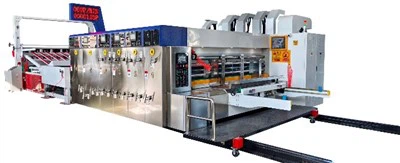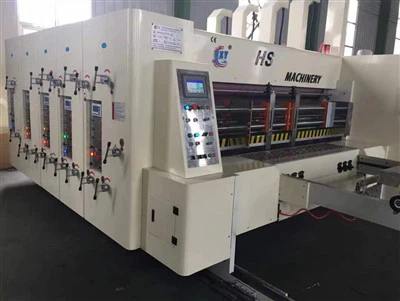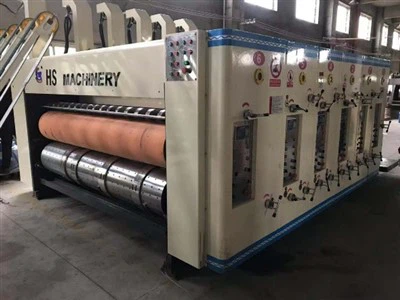


Model:1400x2800

Tech parameters
| Data/model | 900x2000 | 900x2400 | 1200x24000 | 1200x2800 | 1400x2400 | 1400x2800 | 1600x2800 | 1600x3200 | 1600x3600 |
| Max machine speed(pcs/min) | 300 | 300 | 250 | 220 | 220 | 200 | 200 | 180 | 120 |
| Max feeding size(mm) | 880x2000 | 880x2400 | 1180x2400 | 1180x2800 | 1380x2400 | 1380x2800 | 1570x2800 | 1570x3200 | 1570x3600 |
| Min feeding size(mm) | 280x660 | 280x660 | 320x680 | 320x680 | 360x680 | 360x680 | 420x710 | 420x710 | 420x710 |
| Skip feeding(mm) | 1100x2000 | 1100x2400 | 1500x2400 | 1500x2800 | 1700x2400 | 1700x2800 | 1900x2800 | 1900x3200 | 1900x3600 |
| Max printing area(mm) | 850x2000 | 850x2400 | 1150x2400 | 1150x2800 | 1350x2400 | 1350x2800 | 1540x2800 | 1540x3200 | 1540x3600 |
| Thickness of printing plate(mm) | 7.2 | 7.2 | 7.2 | 7.2 | 7.2 | 7.2 | 7.2 | 7.2 | 7.2 |
Slotting Operation Instructions and Work Guidelines
Box Height Adjustment:
● With the mode selection switch in the "Electric" position, the box height can be electrically adjusted by pressing the touch button on the slotted section control panel (one). The specific value will be displayed on the screen, or it can be read from the tool holder scale (1 division = 1mm), which will also be displayed on the screen. (It is best to adjust by jogging.) The box height setting is usually about 2mm smaller than the box's actual height.
● When performing this operation on the machine, the electric/automatic mode selection switch should be considered in conjunction with the operation. During lateral movement adjustment, the upper and lower tool holders move in tandem; it must be confirmed that the upper tool is inserted between the lower tool and the upper tool.
● In automatic mode, set the position values for each tool on the touchscreen. After inputting the values, press "Tool Position Start," and the machine will automatically adjust the position of each tool according to the set values. At this time, the buttons on the grooving control panel (II) are invalid.
● In electric mode, use the corresponding buttons on the grooving control panel (II) to control the displacement of each tool, and read the values on the scale at the crossbeam. One scale division = 1mm. The display screen will also show relevant data, provided that the tool edge is inserted into the groove.
Gap Adjustment:
● The gap size is usually adjusted according to the cardboard thickness. Adjustment is done by increasing or decreasing the gap using the switch on the control panel. The adjusted value is read from the touchscreen, and the displayed value is the actual gap value.
Hot Tags: carton flexo printing machine, China carton flexo printing machine manufacturers, suppliers, factory, Flexo Printing Corrugated Box, Carton Flexo Printing Machine, Flexo Die Cutting Machine, Inkjet Carton Printer, paper box making machine, carton printing machinery